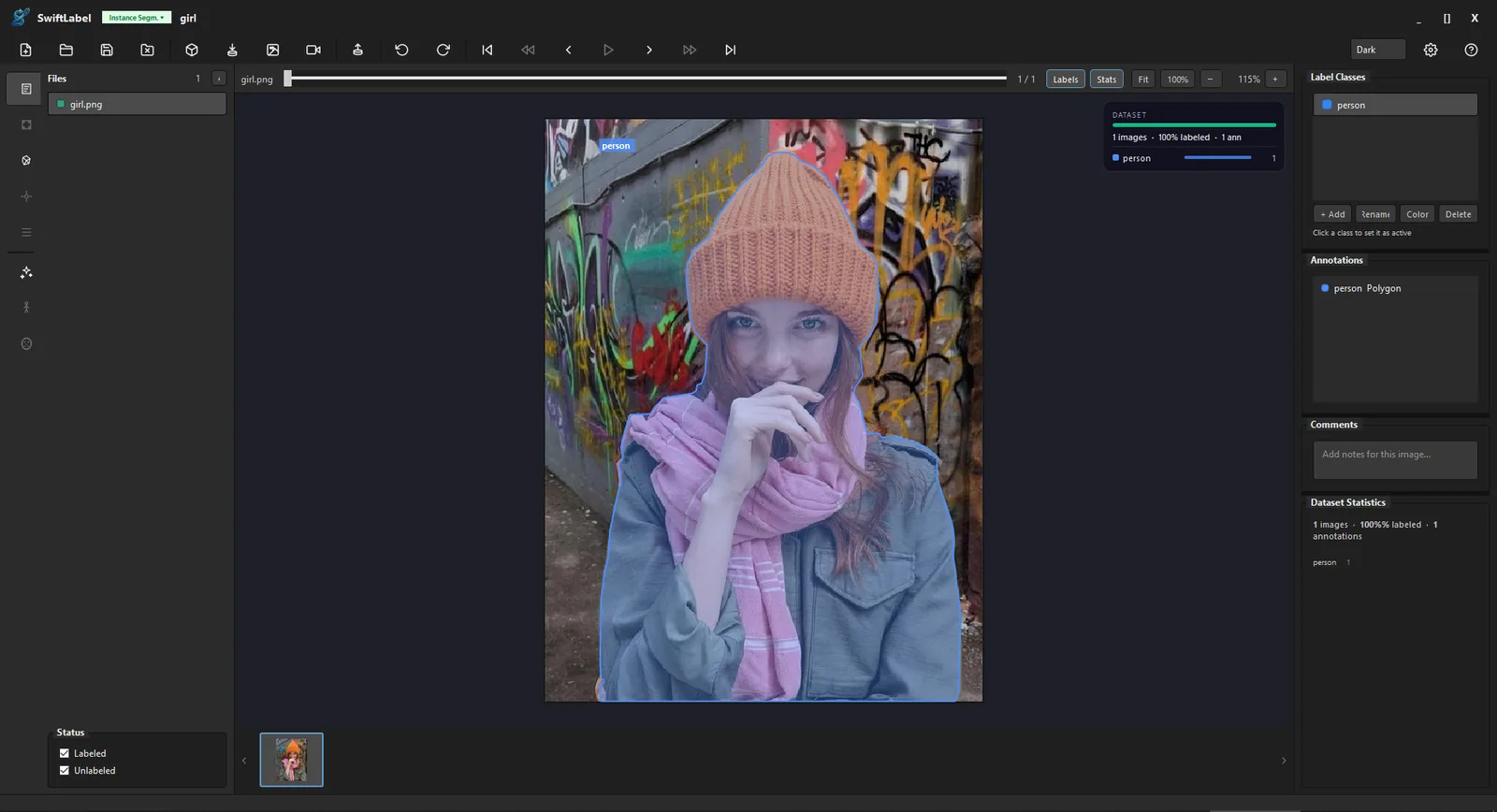
Instance Segmentation
Draw and review precise masks
Polygon tools, class colors and live annotation lists stay in the same workspace, so mask cleanup remains fast even on detailed objects.
Professional desktop labeling tool for object detection, segmentation, pose estimation, face detection and classification — with built-in AI auto-labeling.
A complete annotation workflow in a single native desktop application — no cloud, no subscription.
Bounding boxes, polygons, keypoints, face landmarks and image-level classification — all in one tool with dedicated UI per project type.
Run object detection, instance segmentation, body & hand pose or face landmark models on your dataset.
YOLO v3–v12, COCO, Pascal VOC, LabelMe, CreateML, CVAT, Darknet, Florence-2 and more — export ready to train.
Import MP4 / AVI and annotate frame by frame with a built-in scrubber. Annotations persist per frame across sessions.
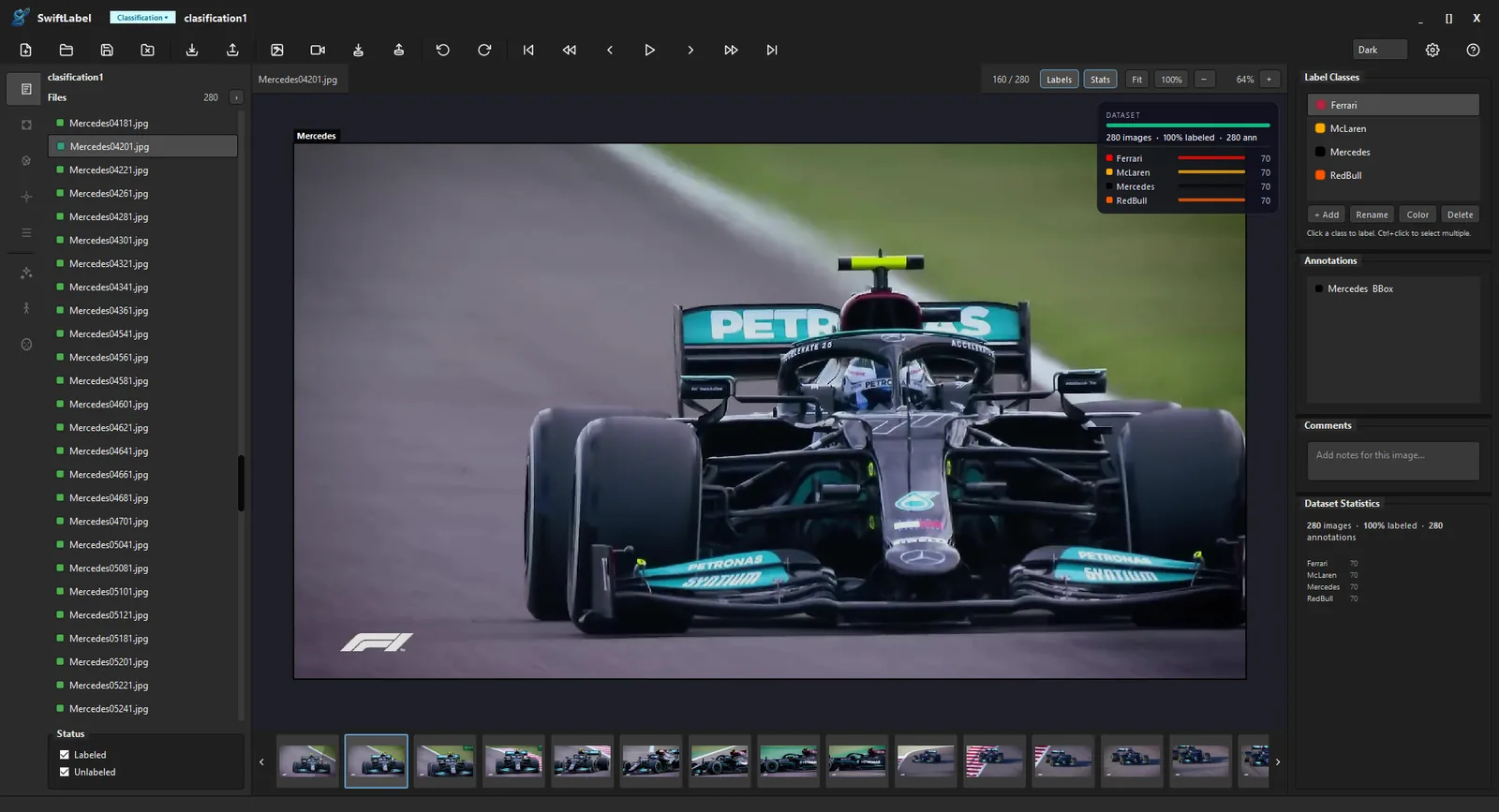
Live overlay showing labeled progress, annotation count, and per-class distribution charts — always visible while you work.
100% local processing. Your images and annotations never leave your machine. No internet connection required.
SwiftLabel keeps the canvas, classes, annotations, files, frame navigation and dataset statistics visible while you work.
Polygon tools, class colors and live annotation lists stay in the same workspace, so mask cleanup remains fast even on detailed objects.
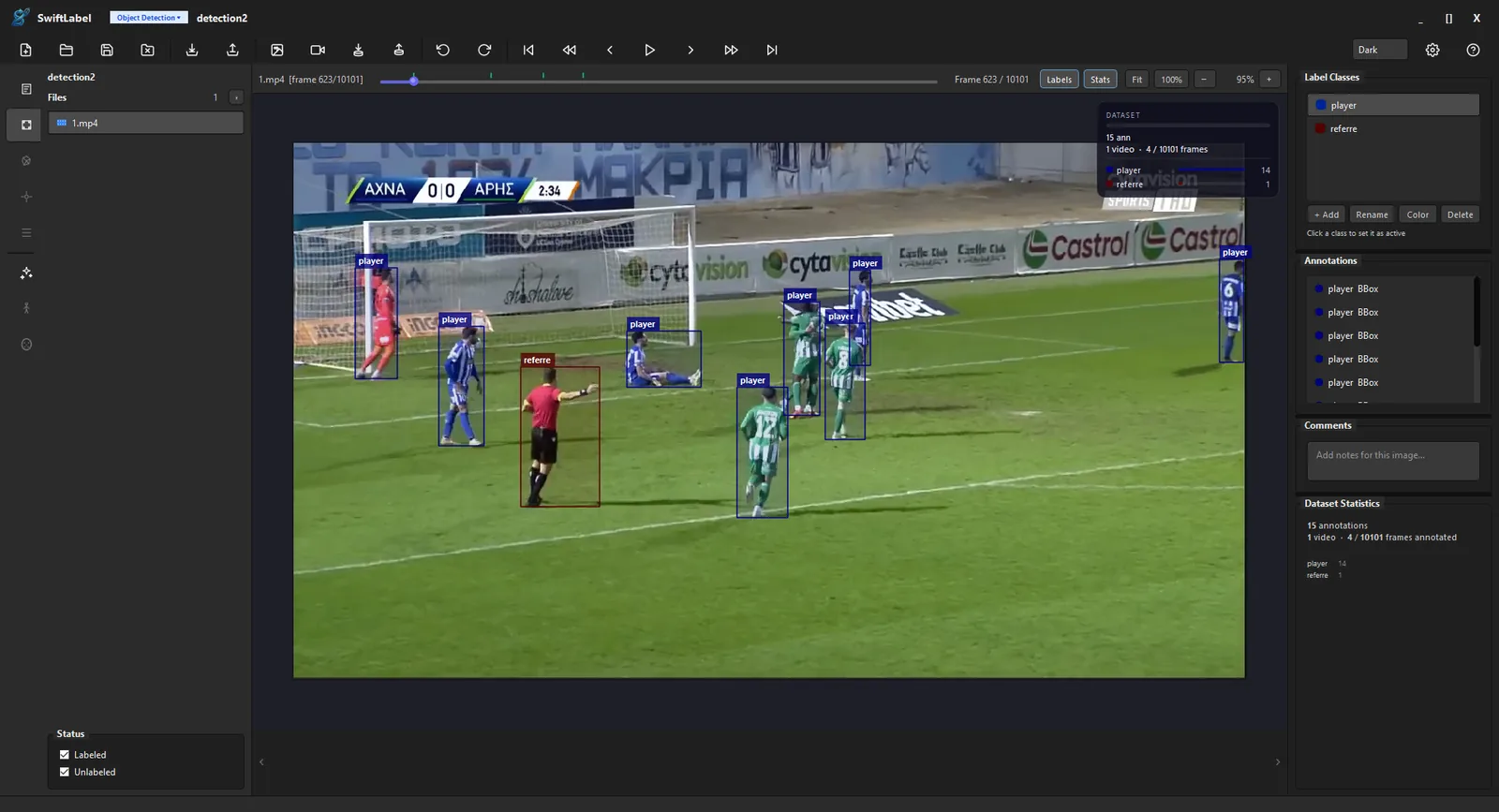
Import video, move through frames with the scrubber, and keep bounding boxes tied to the selected frame and class list.
File lists, per-class totals and labeling coverage stay in view, helping teams spot gaps before export.
Each project type activates the right tools and export formats automatically — no manual configuration needed.
Draw bounding boxes around objects with class labels. Supports YOLO, COCO, VOC and more export formats.
Pixel-level polygon masks where every region gets a class label. Ideal for scene understanding tasks.
Individual polygon masks per object instance with class labels and per-instance IDs.
COCO 17 body and 21-point hand skeletons with AI assistance.
Face bounding boxes with 5-point landmark detection.
Assign a single class label to each image in the dataset.
Load ONNX models from your local models folder and pre-label datasets fully offline.
Draw bounding boxes around objects with class labels. Run YOLOv8/YOLO11 ONNX models for AI auto-labeling across your entire dataset.
Pixel-level polygon masks where every region gets a class label. Use SAM click-to-segment for instant zero-shot masks on any object.
Individual polygon masks per object instance. YOLO segmentation models and SAM generate masks automatically — review and approve with one keystroke.
COCO 17-keypoint body skeletons and 21-keypoint hand skeletons with per-finger coloring. Switch between Body and Hand models in one dialog.
Face bounding boxes with 5-point landmarks (eyes, nose, mouth corners). Batch-run across all images and approve results.
Assign a single class label to each image in the dataset. Supports multiclass labeling with quick keyboard-driven selection.
26 export formats covering major training workflows — from vanilla YOLO to Apple CreateML.
Every action has a keyboard shortcut so you never have to reach for the mouse.
Try everything free for 14 days — no account, no credit card. Buy once, keep it forever.
Full app, every feature, for 14 days. No account or credit card required.
One-time payment — use forever. Includes use on up to 2 devices for one user, so your workstation and laptop are both covered.
Licenses are delivered instantly by email after checkout. USD international pricing and TRY pricing for Turkish cards are available at checkout.
Buying for a team? See enterprise procurement, security, and support details.
One installer, no cloud account, no subscription. Your data stays on your machine.